Introduction
Join Dan, a needy customer always calling up asking for order status and copies of invoice use the self service portal to help him get his files whenever he needs.
Registration
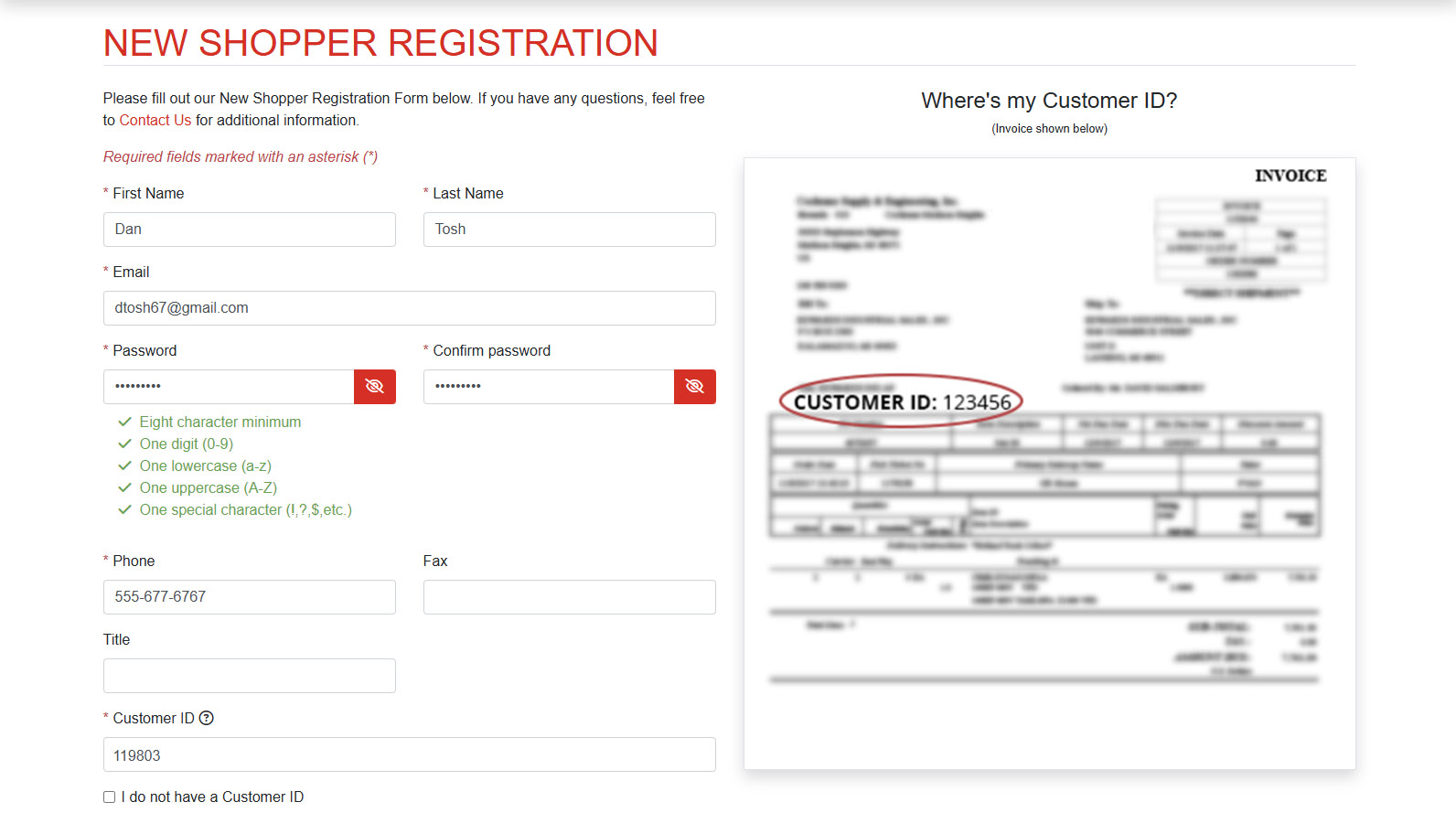
Dan is an existing customer so he registers for portal access via his Prophet 21 Customer Id. An administrator will receive an email alert to approve the registration request
Registration Approval
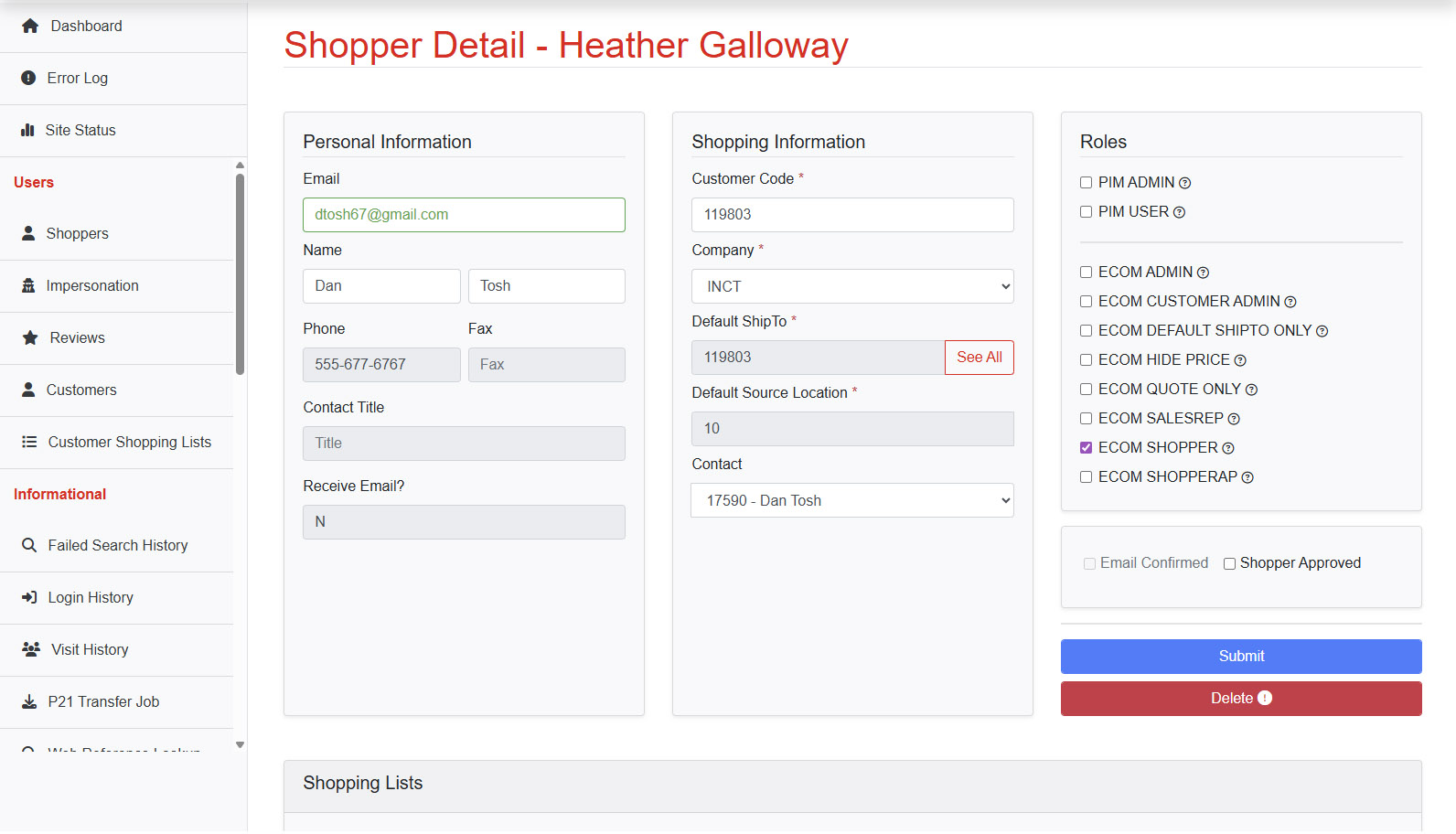
The admin logs in to the shopper approval screen, verifies customer id, company id, ship to id and contact id if required by p21 and approves the registration request
My Account Dashbaord
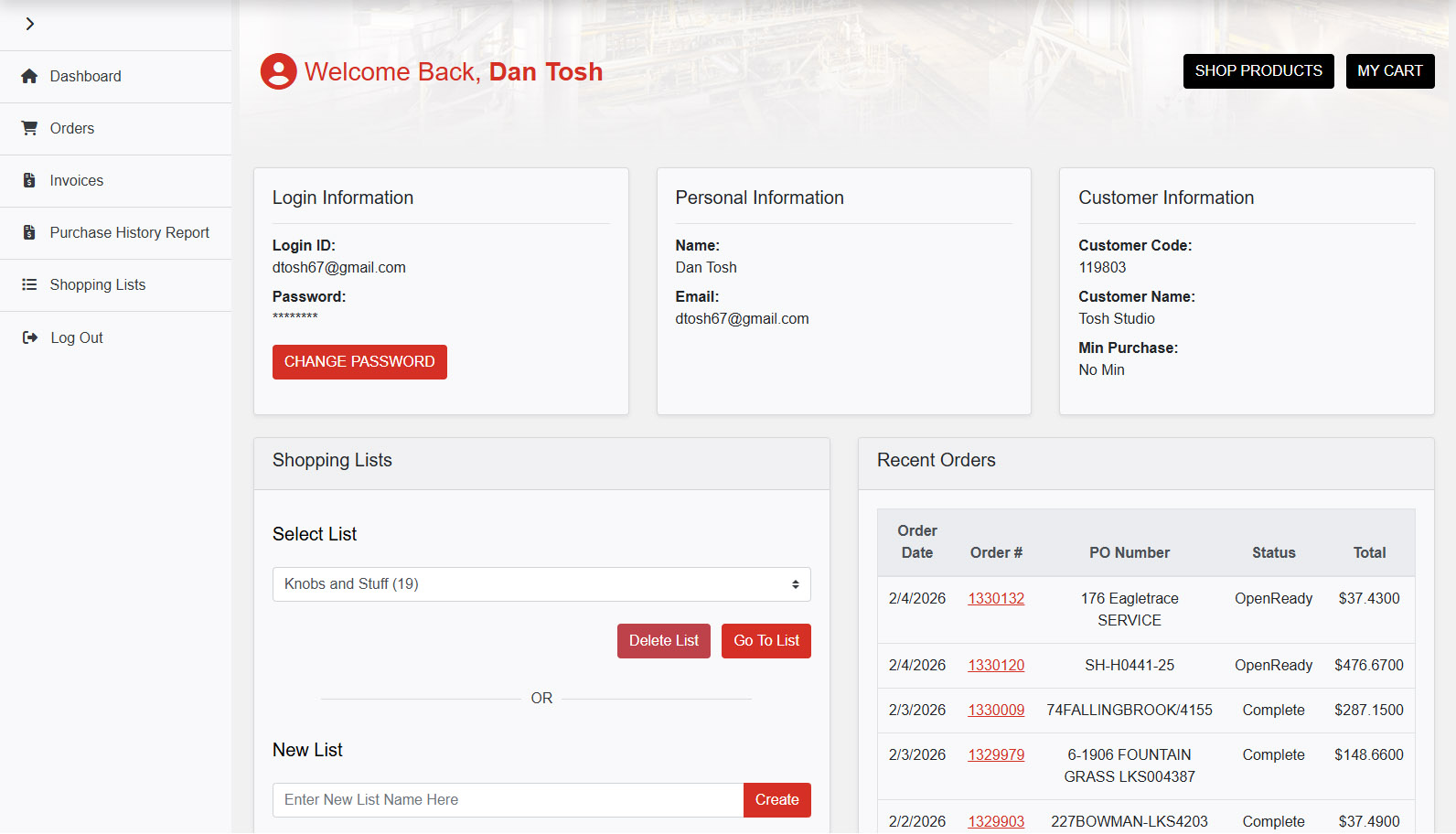
Dan can now log in and see his portal dashboard. Dan is happy.
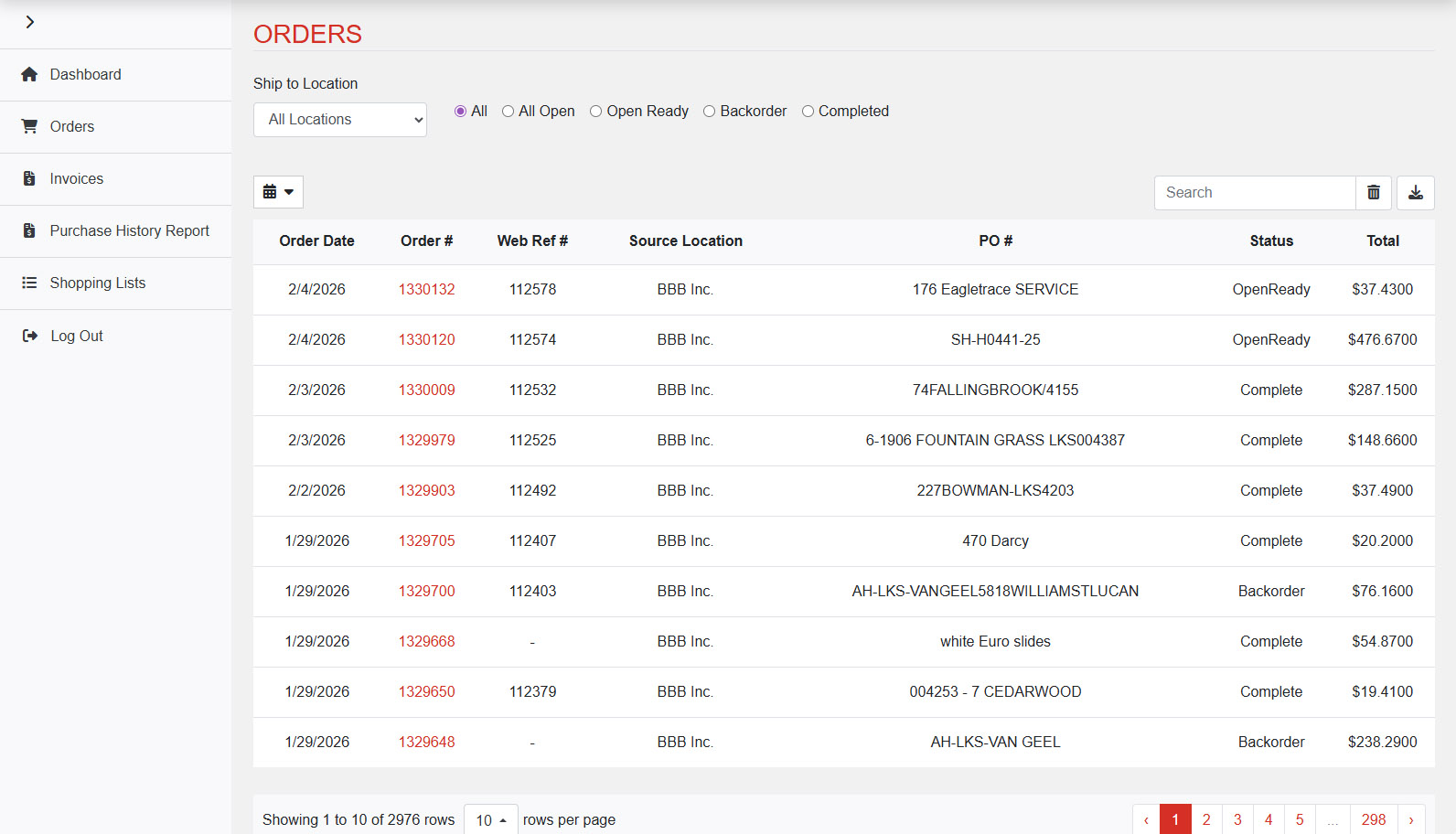
Orders
Dan can view his entire companies P21 order history. He has the ability to filter by ship to location as well
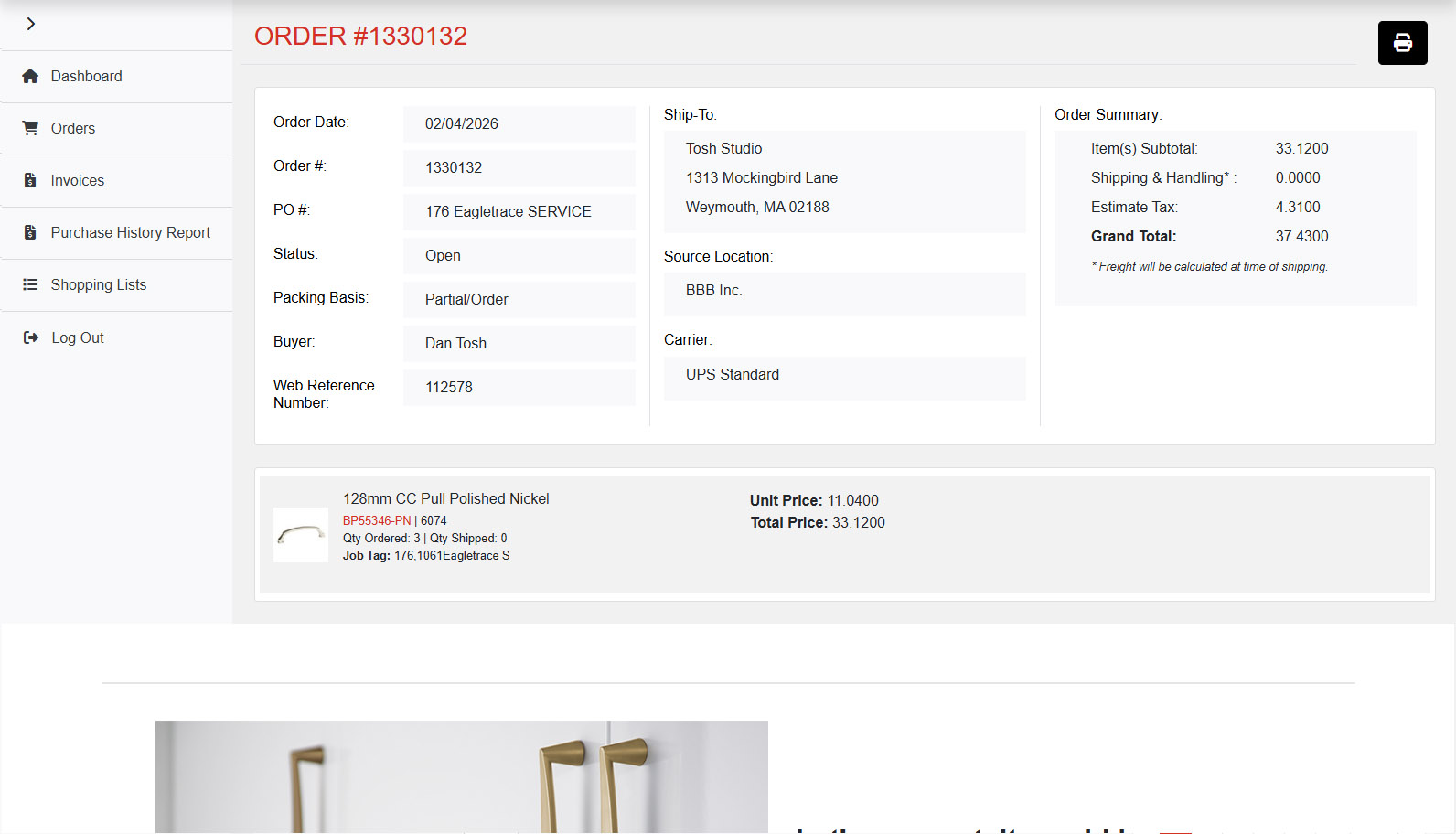
Order Details
When drilling into order details, dan can see the quantities he's requested, along with what actually shipped.
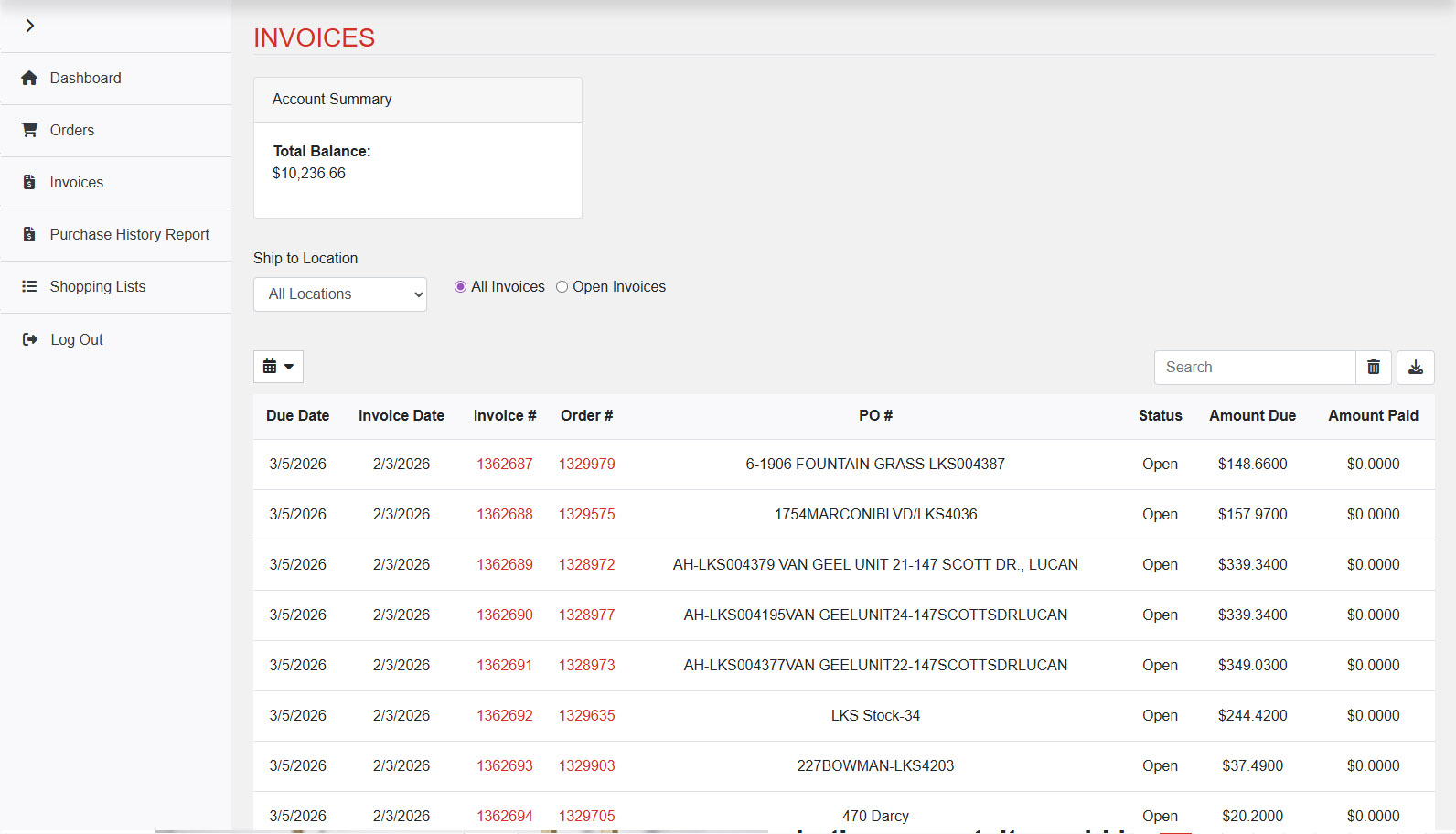
Invoices
Dan can also view a list of invoices that have been paid. Uh Oh! Dan owes quite a bit of money!
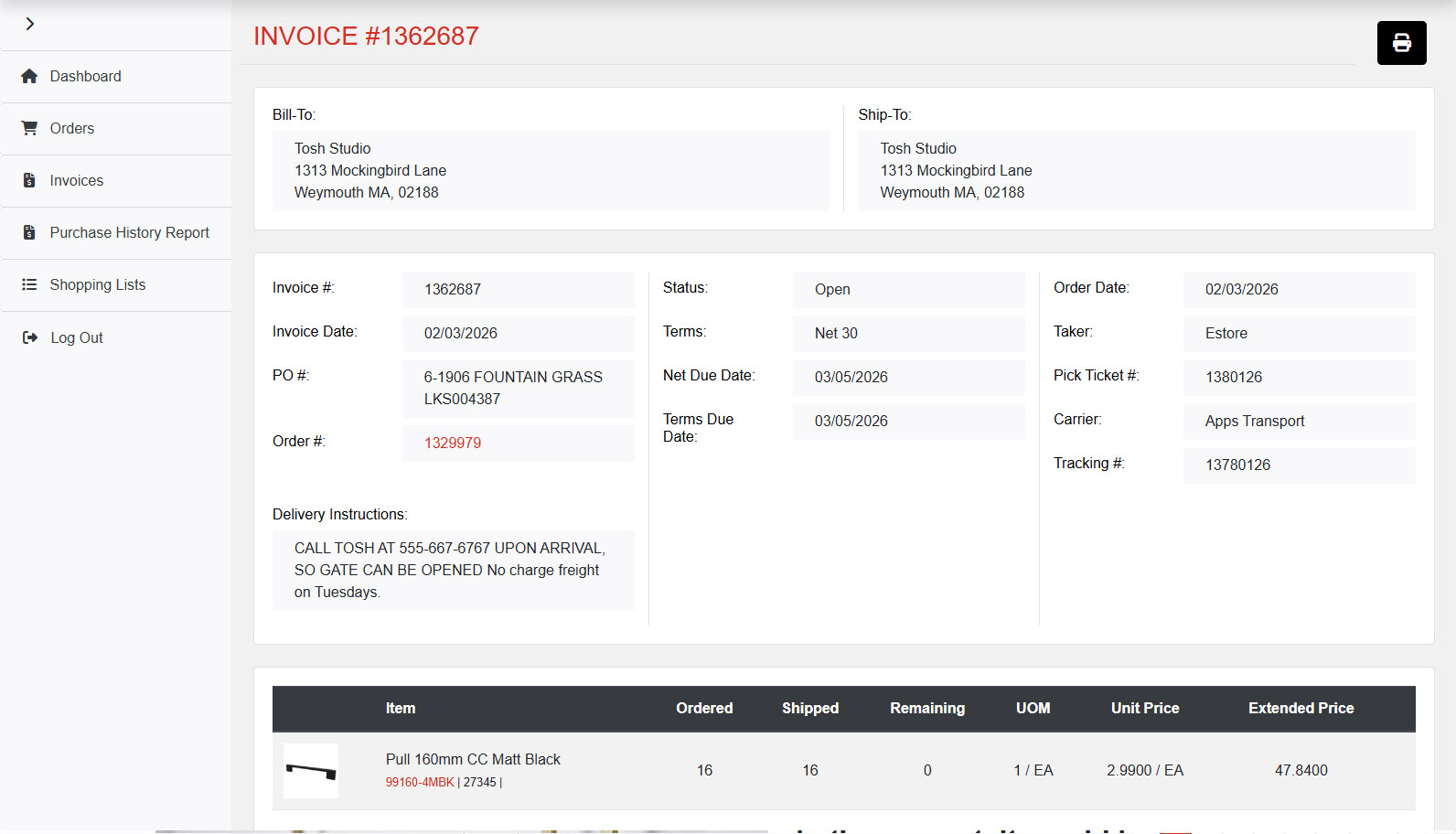
Invoice Details
Dan can also drill into invoice detail as well to see things like related pick ticket numbers and tracking numbers
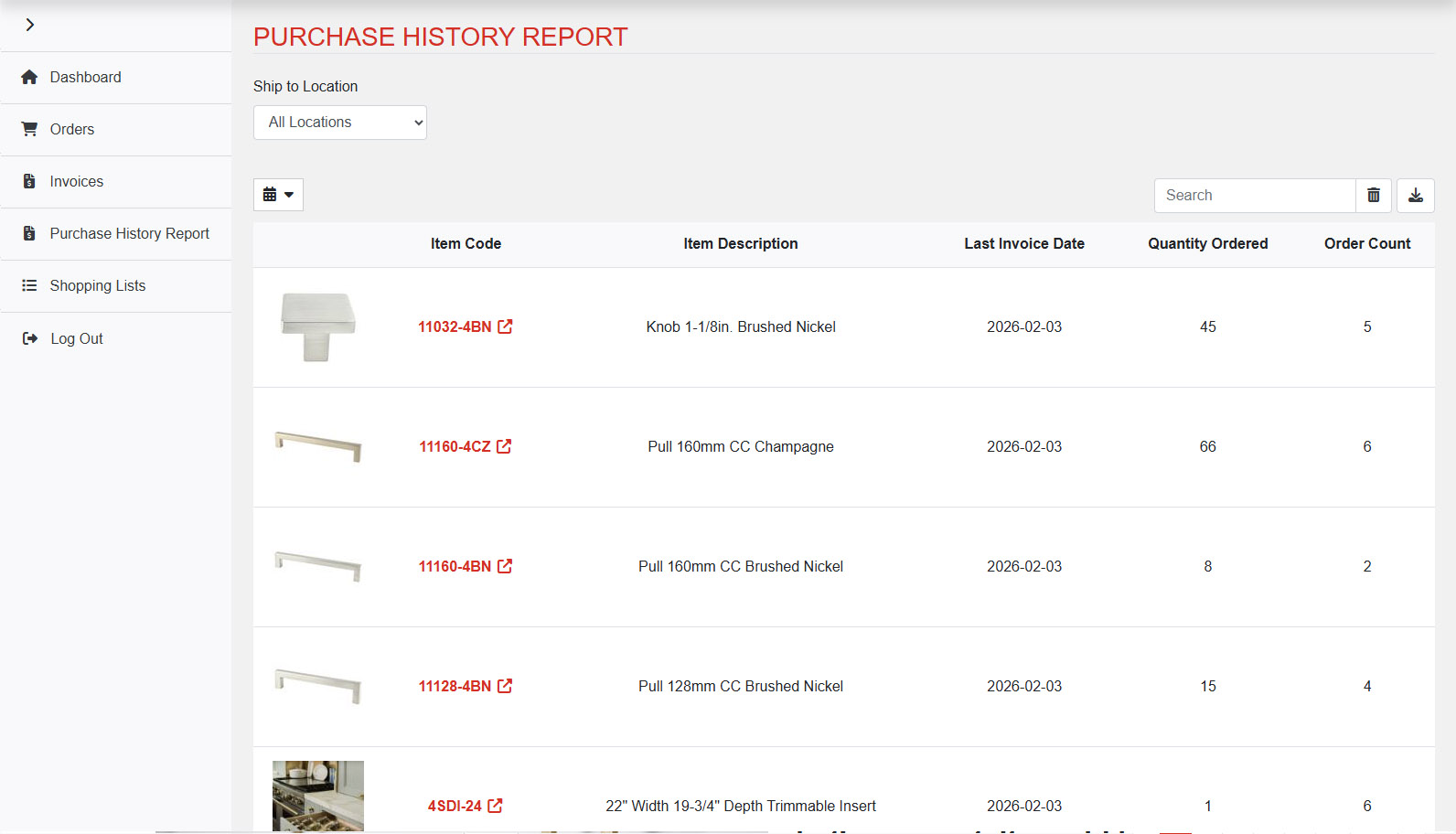
Past Purchases
Incase Dan forgets that part number he often buys, he can come here to see a list of his most common purchases.